# Interview Scheduling Template That Works in 2026
*Published 2026-09-10*
> Use our interview scheduling template to cut coordination time, speed responses, and improve show rates with ready-to-copy email copy and ATS rules.
Source: https://www.talentpronto.ai/blog-posts/interview-scheduling-template
---
A candidate can leave a hiring process because scheduling takes too long. Cronofy's [2024 Candidate Expectations Report](https://www.cronofy.com/reports/candidate-expectations-report-2024) found that **21% of candidates expect an interview within 2–6 days**, while **29% expect it within a week**. At the one-month mark, **36% would disengage**, an increase of 12 percentage points from the prior year. An interview scheduling template therefore isn't just polished email copy. It's a practical control for response speed, calendar coordination, reminders, and recovery when the first plan fails.
The best template gives candidates a clear next step, gives interviewers a workable operating rule, and gives the ATS enough structure to automate routine actions without removing human judgment. The examples below are designed for healthcare, retail, technology, and other environments where interview volume, panel complexity, and candidate availability rarely fit a simple email exchange.
## Table of Contents
- [Why Interview Scheduling Templates Matter More Than Ever](#why-interview-scheduling-templates-matter-more-than-ever)
- [A template is a workflow control](#a-template-is-a-workflow-control)
- [The Core Building Blocks of an Interview Scheduling Template](#the-core-building-blocks-of-an-interview-scheduling-template)
- [Invitation](#invitation)
- [Confirmation](#confirmation)
- [Reschedule and decline](#reschedule-and-decline)
- [Required fields at a glance](#required-fields-at-a-glance)
- [Wiring the Template Into Your ATS and Automation](#wiring-the-template-into-your-ats-and-automation)
- [Map each reminder to a trigger](#map-each-reminder-to-a-trigger)
- [Adapting Templates for Different Hiring Scenarios](#adapting-templates-for-different-hiring-scenarios)
- [Lead Times, Reminders, and Confirmation Cadence](#lead-times-reminders-and-confirmation-cadence)
- [Treat confirmation as a state machine](#treat-confirmation-as-a-state-machine)
- [Measuring Impact and Iterating on Your Template](#measuring-impact-and-iterating-on-your-template)
- [Test one operational change at a time](#test-one-operational-change-at-a-time)
## Why Interview Scheduling Templates Matter More Than Ever
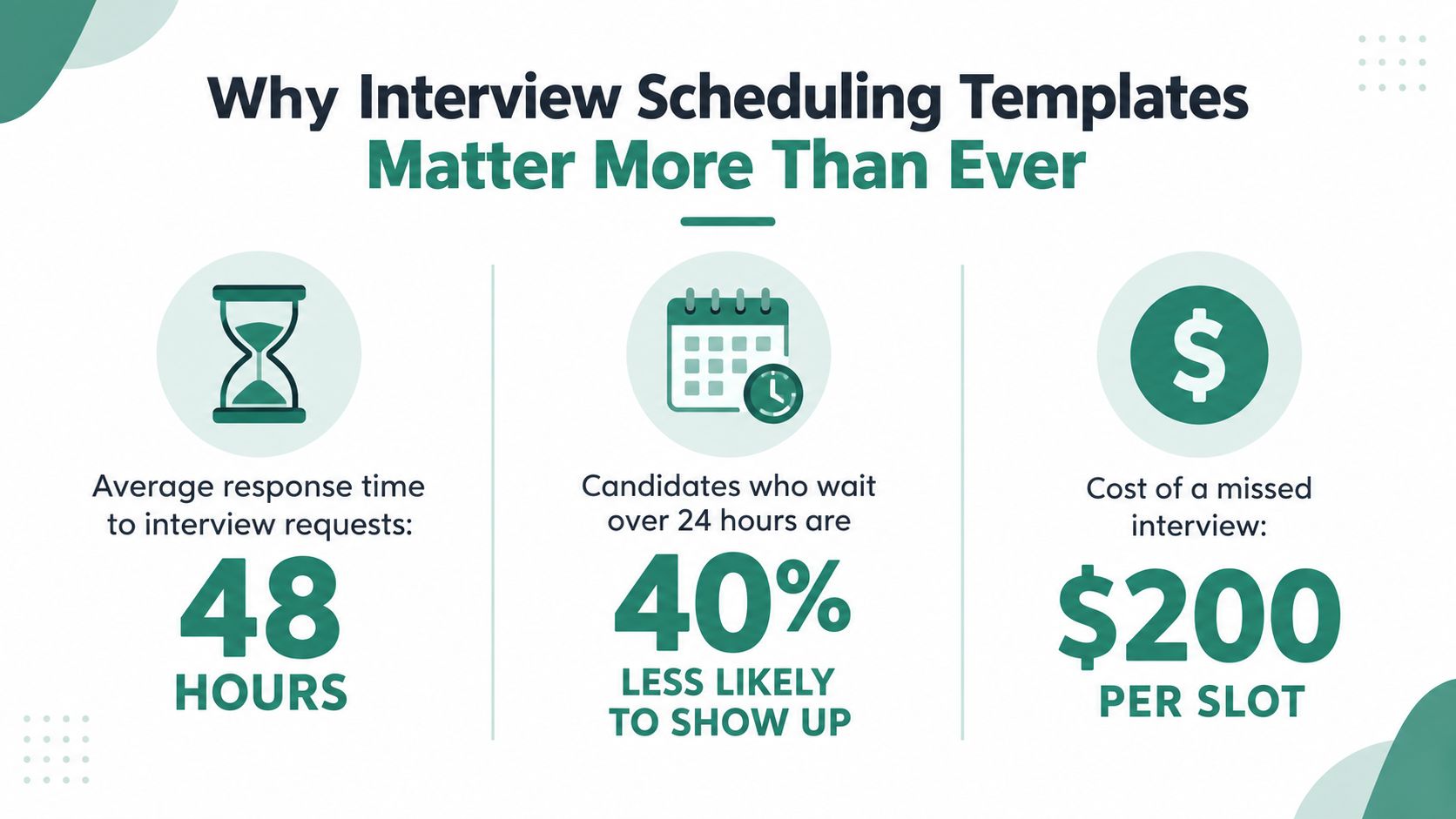
Recruiters often experience scheduling as a series of small tasks. Send availability, wait for a reply, compare calendars, ask a hiring manager to confirm, update the candidate, create an invite, and then chase confirmation. Cronofy's earlier survey found that **60% of recruiters needed at least three emails or phone calls to schedule a single interview**, while **41% took at least three days** to complete the booking process. The same survey reported that **26% took four or more days**, and **11% needed a full week or longer**. These findings are documented in [Cronofy's interview scheduling survey results](https://medium.com/cronofy/interview-scheduling-survey-results-a1d580660f78).
That effort matters because candidates don't experience those steps as separate administrative actions. They experience silence, uncertainty, and repeated requests for availability. Cronofy's 2024 report found that **42% of candidates would leave a recruitment process if interview scheduling took too long**, while only **9% received a first interview scheduled within a day** and **31% waited two to three weeks**, as summarized in [Workday's candidate experience resource](https://www.workday.com/en-us/products/conversational-ai/candidate-experience.html).
### A template is a workflow control
A useful interview scheduling template defines more than the words in an invitation. It establishes:
- **Offer rules:** Which slots appear, how far ahead candidates can book, and whether the system blocks weekends or restricted hours.
- **Ownership rules:** Who handles no-response cases, accessibility requests, late changes, and panel conflicts.
- **Communication rules:** Which message goes out after booking, before the interview, after a reschedule, and after a missed appointment.
- **Calendar rules:** How interview titles, time zones, meeting links, interviewer roles, and preparation materials appear to every participant.
This structure lets recruiters spend less time negotiating calendars and more time evaluating candidates. It also protects interviewers from fragmented invites that omit context or place multiple meetings back to back without preparation time.
> **Practical rule:** If a recruiter has to remember when to nudge, whom to escalate to, or which version of the meeting link to use, the process still lives in a person's memory rather than in the workflow.
The template should also set a response expectation. A candidate invitation can say that the scheduling link will remain open for a defined period and that anyone who can't find a suitable time should reply directly to a named coordinator. That fallback matters because automation handles standard availability well, but it shouldn't force candidates with accessibility, caregiving, clinical, or time-zone constraints into an impersonal dead end.
Candidate experience teams can pair these scheduling measures with broader funnel indicators in [this guide to candidate experience metrics](https://www.talentpronto.ai/blog-posts/candidate-experience-metrics). The operational lesson is straightforward: scheduling belongs in the hiring design, not in a loose collection of recruiter habits.
## The Core Building Blocks of an Interview Scheduling Template
Every interview scheduling template should cover four message states: **invitation, confirmation, reschedule, and decline**. These states prevent the common mistake of writing one attractive invitation and leaving every exception to improvisation.
### Invitation
**Subject:** Interview invitation for RN II at [Company]
**Email copy:**
Hi [Candidate Name],
We'd like to invite you to a [Interview Type] for the RN II role. You'll meet [Interviewer Name and Role] for a [Duration]-minute conversation about your experience and the position.
Please choose a suitable time here: [Scheduling Link]. The available times are shown in [Candidate Time Zone]. If none work, reply within 24 hours and our recruiting coordinator will help arrange another option.
You can review the role information and interview preparation notes here: [Preparation Link].
Best,
[Recruiter Name]
**Calendar block:**
[INTERVIEW] RN II – Recruiter Screen – [Candidate Name]
- Date and time: [Date, Time, Time Zone]
- Interviewer: [Name and Role]
- Format: [Phone, Video, On-site]
- Meeting link or location: [Details]
- Preparation: [Link]
- Rescheduling: [Reschedule Link]
Use a time-blocked invitation, not an all-day event. All-day invites hide the actual appointment and make it harder for candidates and interviewers to understand when they need to attend.
### Confirmation
**Subject:** Confirmed interview for [Role] on [Date]
Hi [Candidate Name],
Your [Interview Type] for the [Role] position is confirmed for [Date] at [Time, Time Zone]. You'll meet [Interviewer or Panel] through [Format].
Meeting details: [Link or Location]
Preparation materials: [Link]
If you need to change the appointment, use [Reschedule Link]. If you can't find a suitable alternative, reply to this email and [Coordinator Name] will assist.
Best,
[Recruiter Name]
### Reschedule and decline
A reschedule message should preserve momentum rather than make the candidate restart the process.
**Subject:** Choose a new interview time for [Role]
Hi [Candidate Name],
We need to adjust your interview for the [Role] position. Please select a new time here: [Reschedule Link]. The options are displayed in [Time Zone].
If you need an accommodation or none of the options work, reply within 24 hours so a coordinator can help.
A decline message should also remain respectful and operationally clear:
**Subject:** Interview scheduling update for [Role]
Hi [Candidate Name],
We understand that the available interview times don't work for you. We'll pause scheduling for now. If your availability changes, reply to this message and we'll review the next available options.
Thank you for your interest in [Company].
### Required fields at a glance
| Message State | Required Fields | Copy Hook | Common Failure |
|---|---|---|---|
| Invitation | Role, panel, format, time zone, link, preparation, fallback contact | “Please choose a suitable time here” | Asking for availability without a booking path |
| Confirmation | Exact slot, interviewer, meeting details, preparation, reschedule link | “Your interview is confirmed” | Sending a vague confirmation without time zone |
| Reschedule | Reason or neutral explanation, new link, human fallback | “Please select a new time” | Making the candidate repeat the entire process |
| Decline | Clear status, respectful close, possible re-entry path | “We'll pause scheduling for now” | Leaving the candidate uncertain about next steps |
The same skeleton works for phone screens, video interviews, onsite loops, and panel stages. Change the logistics and ownership, but keep the message states consistent.
## Wiring the Template Into Your ATS and Automation
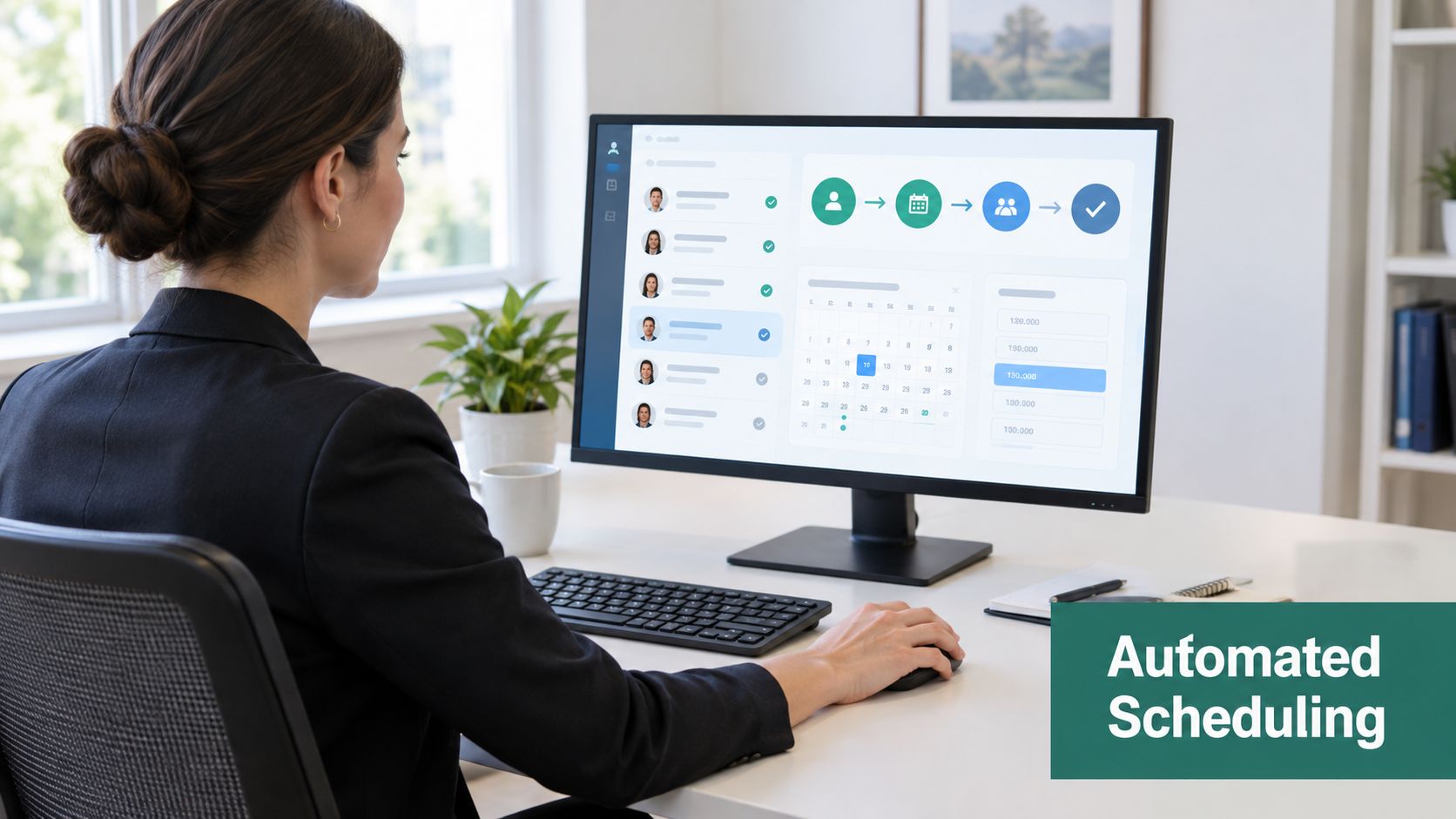
A template only saves time when the ATS knows when to use it. In a generic stage-based workflow, start with a clear transition such as **Phone Screen, Eligible** to **Interview Loop, Scheduled**. The transition should trigger the invitation, attach a self-select link from Calendly or an equivalent scheduling tool, and write the chosen slot back to the candidate record.
The booking rules should reflect the process rather than every open space on an interviewer's calendar. A practical configuration can:
- **Limit availability:** Show slots within the approved booking window and exclude weekends.
- **Protect preparation time:** Require at least a four-hour minimum lead time where the role needs interviewer preparation.
- **Control panel density:** Reserve buffers between back-to-back panel sessions.
- **Preserve ownership:** Assign a scheduling coordinator when the candidate can't use any displayed slot.
- **Record outcomes:** Write booked, confirmed, rescheduled, completed, and no-show states to the ATS.
Conditional booking is particularly important for healthcare and distributed teams. A calendar may look open while the interviewer is handling clinical coverage, a shift handoff, or an internal meeting that isn't visible in the scheduling system. Availability should represent genuine interview capacity, not empty calendar space.
### Map each reminder to a trigger
Use a small state machine instead of a pile of unrelated automations:
1. **Invitation sent:** Send the booking email immediately after the stage change.
2. **No response after 24 hours:** Send a short nudge with the original link.
3. **Slot selected:** Move the candidate to booked and send the confirmation.
4. **Twenty-four hours before the interview:** Send the details, preparation material, and reschedule path.
5. **Two hours before the interview:** Send an SMS or approved internal notification.
6. **No-show or reschedule request:** Stop routine reminders and route the record to a human owner.
For virtual interviews, include the platform, dial-in details, backup contact, and a test instruction where appropriate. Teams that need a consistent process for multi-person calls can use this [reliable conference call setup guide](https://snap-dial.com/setting-up-a-conference-call/) when standardizing meeting logistics.
Keep **decline replies, late reschedules, accessibility accommodations, and unusual panel conflicts human**. Let the system handle confirmations, routine nudges, calendar updates, and status writing. This balance is central to [recruitment workflow automation](https://www.talentpronto.ai/blog-posts/recruitment-workflow-automation), because automation should remove repetitive coordination without turning exceptions into dead ends.
## Adapting Templates for Different Hiring Scenarios
A single generic link rarely serves every role well. The right interview scheduling template changes the slot design, reminder channel, calendar language, and ownership model according to the hiring scenario.
For **volume hourly hiring**, reduce friction above all else. Offer short self-serve slots, make booking easy on mobile, and use SMS confirmations where candidates have opted into text communication. The invitation line can be direct: “Choose a quick interview time that works for you, and we'll send the details by text and email.”
Professional roles need more context. Use longer panel blocks, attach interviewer briefs, and include the evaluation focus in the internal calendar description. For a clinical or specialist position, the candidate-facing copy might say: “Your conversation will cover your experience, role-specific judgment, and questions about the team. Please review the preparation guide before choosing a time.” Candidates interviewing for physician roles may also benefit from preparation resources such as these [tips for physician contract negotiation](https://www.americancardiologygroup.com/post/interview-tips-for-doctors), provided the content is relevant to the stage and employer.
Panel interviews require a named scheduler owner. The system should find a mutual opening across required interviewers, attach the agenda, and identify who handles a conflict. Don't send separate uncoordinated invitations for sessions that candidates perceive as one interview loop.
Cross-time-zone hiring needs visible time-zone labels on every option. Add working-hours guards, avoid presenting local times that fall outside the candidate's normal day, and provide an async-friendly reschedule route when the overlap is narrow.
| Scenario | Slot Length | Automation Rules | Reminder Channel | Invite Title Format |
|---|---|---|---|---|
| Volume hourly | Short screening block | Mobile booking, limited daily capacity, quick fallback | SMS and email | `[INTERVIEW] [Role] – Quick Screen – [Name]` |
| Professional | Extended conversation or panel block | Interviewer brief, buffer protection, coordinator review for exceptions | Email | `[INTERVIEW] [Role] – Structured Interview – [Name]` |
| Panel or executive | Coordinated multi-calendar block | Require all essential interviewers, attach agenda, assign scheduler owner | Email plus internal interviewer alert | `[INTERVIEW] [Role] – Panel Loop – [Name]` |
| Cross-time-zone | Role-dependent block | Display local time zones, enforce working-hours guards, enable async reschedule | Email and approved SMS | `[INTERVIEW] [Role] – [Stage] – [Name] – [Time Zone]` |
Maintain one shared library when the process is common. Create separate variants when the role family has different durations, interviewers, compliance requirements, or candidate communication preferences. A shared library prevents drift, while scenario-specific branches prevent a retail hiring flow from inheriting the complexity of an executive panel.
## Lead Times, Reminders, and Confirmation Cadence
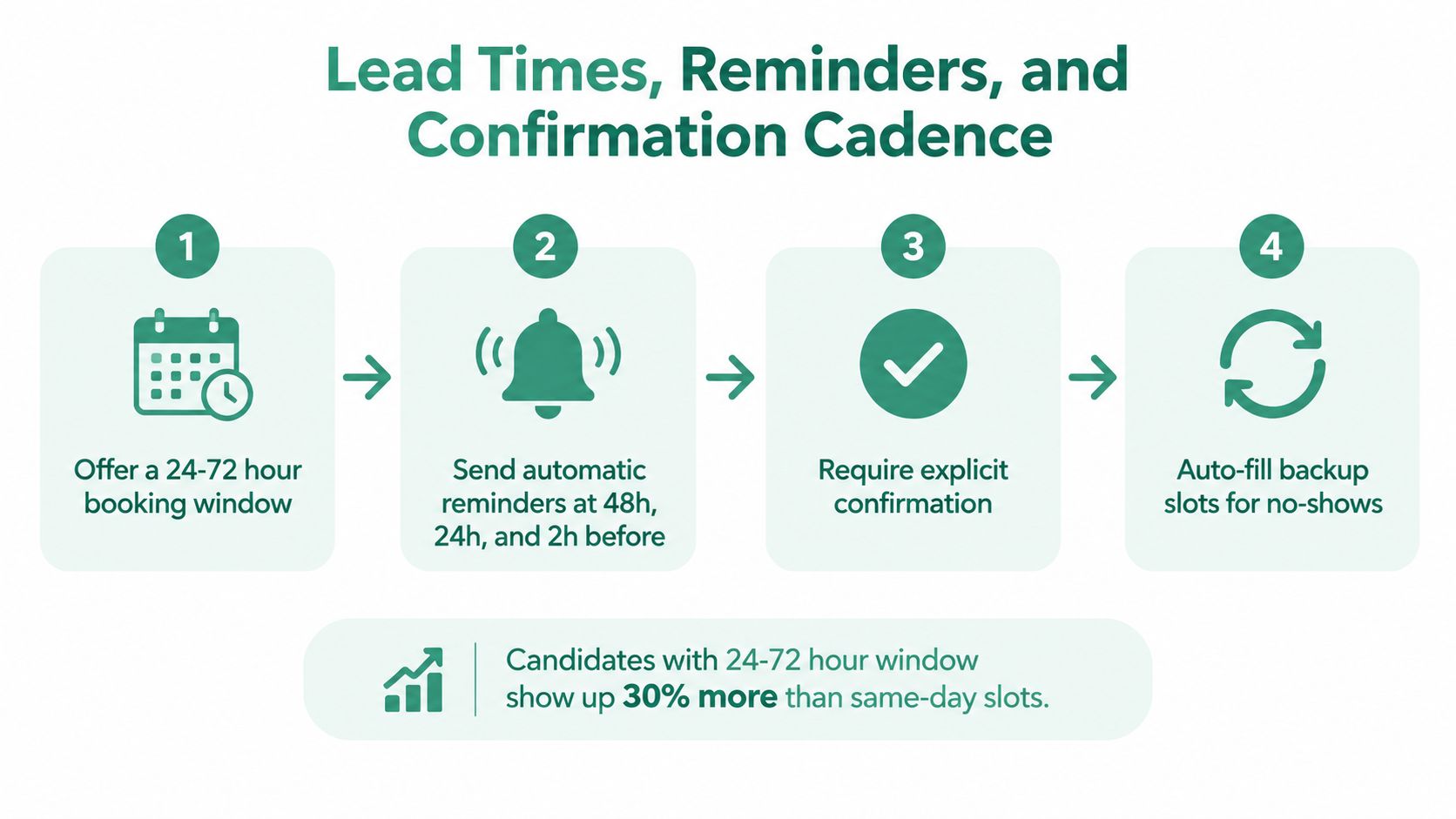
Speed and attendance aren't identical goals. Scheduling analysis cited in Cronofy's candidate-expectations coverage found **71–72% show rates for interviews booked within 24 hours**, compared with **91–92% for interviews scheduled 24–72 hours ahead**. The operational implication is important: don't optimize for the earliest possible slot at the expense of reasonable preparation time.
Configure booking windows so candidates can choose from times that begin after the immediate period and remain available through a practical short-term range. The template should make the available start and end windows explicit, while still allowing a coordinator to intervene when a candidate has a genuine constraint.
### Treat confirmation as a state machine
The sequence should be visible in the ATS:
- **Invited:** Invitation sent, booking link active.
- **Slot chosen:** Candidate selected a time, confirmation generated.
- **Confirmed:** Candidate acknowledged the appointment or the workflow marked the booking confirmed.
- **Reminded:** Scheduled reminders sent according to the role variant.
- **Completed:** Interview outcome recorded.
- **No-show:** Candidate didn't attend, reminders suppressed, human follow-up created.
- **Reschedule requested:** Booking link reopened and coordinator notified.
Use copy that is short enough to read on a phone.
**Twenty-four-hour reminder**
Hi [Candidate Name], your interview for [Role] is tomorrow at [Time, Time Zone]. Join here: [Meeting Link]. Need another time? [Reschedule Link]. For help, reply to this email.
**Two-hour reminder**
Your [Role] interview starts in two hours at [Time, Time Zone]. Join here: [Meeting Link]. If something has changed, contact [Coordinator Name] at [Contact].
**Reschedule link email**
Hi [Candidate Name], please choose a new time for your [Role] interview here: [Reschedule Link]. The options reflect your local time zone. If none work, reply directly and a coordinator will help.
Don't send reminders after a reschedule, and cap the number of automated messages. Every reminder should include a one-click human contact path, especially for panel and clinical roles where an unexpected issue may require judgment.
## Measuring Impact and Iterating on Your Template
Treat the interview scheduling template as a versioned operating asset. A healthcare system rolling out a new template shouldn't ask whether the emails “feel better.” It should compare how the new rules affect the path from application to booked interview, how often candidates move appointments, and how much recruiter coordination remains.
Track four core measures:
- **Time-to-scheduled:** Time from application or eligibility to a booked interview.
- **Scheduling attempt count:** The number of messages, calls, or booking attempts needed before a confirmed slot.
- **Show rate by cohort:** Attendance segmented by role family, stage, channel, location, and booking window.
- **Recruiter hours saved per requisition:** Coordination time before and after the workflow change.
A useful review compares a baseline period before rollout with a post-rollout period, then segments the results by role family and requisition source. If scheduling attempts rise, the slot window may be too narrow or interviewer availability may be inaccurate. If show rates fall while booking speed stays stable, review the reminder timing, calendar clarity, and candidate preparation instructions. If time-to-scheduled stays flat, the bottleneck may have moved to approval, interviewer capacity, or a later stage.
### Test one operational change at a time
A lightweight comparison can use two reminder cadences or two booking-window configurations across similar requisitions. Keep the invitation language, role, interview format, and ownership model as consistent as possible so the result points to the rule being tested rather than to unrelated differences.
Review the workflow quarterly:
- **Copy:** Is the role, format, time zone, and preparation information clear?
- **Rules:** Are slots realistic, buffers protected, and fallbacks staffed?
- **Reminders:** Are candidates receiving useful messages without excessive contact?
- **Integrations:** Are calendar events, meeting links, statuses, and outcomes writing back correctly?
- **Versions:** Does the ATS record which template and rule set each candidate received?
Teams can use [best practices for reporting](https://www.talentpronto.ai/blog-posts/best-practices-for-reporting) to make these reviews more consistent. The key is attribution. If the ATS doesn't log template versions, teams end up guessing whether an outcome came from better copy, a wider booking window, a new reminder, or a change in interviewer capacity.
---
Talent Pronto can support this workflow with conversational screening, structured scorecards, ATS and HRIS integrations, and interview scheduling options for qualified candidates. Visit [Talent Pronto](https://talentpronto.ai) to see how its hiring platform can connect screening results with the next scheduling step.