Learn how to implement automated interview scheduling from start to finish. Our 2026 guide covers setup, ATS integration, workflows, and KPIs to save time.
A candidate clears screening at 9:12 a.m. Your recruiter sends an availability email at 9:26. The hiring manager replies at lunch. One interviewer declines. Another proposes Thursday. The candidate is already talking to two other employers by the time your team lands on a slot.
That sequence still happens in too many hiring teams, and it's one of the easiest ways to lose good people without realizing it. Manual coordination looks harmless because no single email is the problem. The problem is the chain. Every delay adds friction for the candidate, extra admin for the recruiter, and more calendar chaos for the interview team.
Automated interview scheduling fixes the obvious part, which is speed. But speed alone isn't enough. If you roll it out badly, you can create new issues: overloaded interviewers, poor calendar data, weak candidate messaging, and workflows that unintentionally shut out people who need another way to book. The teams that get real value from automation treat it as an operating model change, not just a scheduling widget.
Manual scheduling fails in ways that are easy to normalize. A recruiter thinks the delay is only a few emails. A hiring manager assumes the coordinator will sort it out. The candidate sees something else entirely: a company that seems slow, disorganized, or unsure.
That's why calendar ping-pong is more damaging than it looks. It doesn't just waste time. It weakens momentum at the exact moment a candidate is deciding whether your process feels worth staying in.
According to HeroHunt's 2025 recruiting review, organizations report that AI scheduling systems reduced back-and-forth coordination time by 60 to 80 percent, and over 90 percent of interviews can now be scheduled within 24 hours of qualification. That matters because candidate drop-off often starts before the interview itself. It starts in the silence between messages.
First, recruiters lose hours to low-value work. They chase calendars, resend links, clarify time zones, and patch over conflicts that shouldn't exist in the first place. Those are hours they can't spend on candidate engagement, debrief quality, or hiring manager alignment.
Second, candidates lose confidence. If your first operational interaction feels messy, they assume the rest of the company may work the same way.
Third, interviewers get dragged into avoidable friction.
Practical rule: If a recruiter is acting like a human routing layer between four calendars, the process is already too fragile.
A lot of teams still treat scheduling as clerical work. It isn't. It's part of conversion. The faster and cleaner the handoff from qualified applicant to booked interview, the better your odds of keeping strong candidates engaged.
Recruiters don't usually complain about scheduling first. They complain about workload, slow hiring teams, and too many moving parts. But scheduling is often sitting underneath all of it.
A recruiter can handle complexity. What wears them down is repetition without assistance. Sending the same variations of “Does Tuesday at 3 work?” across dozens of candidates creates admin fatigue fast. It also creates risk. One missed reschedule, one stale calendar, one unclear invite, and a candidate has a bad experience before anyone even evaluates them.
Here's the blunt version: if you're hiring at any kind of volume, manual scheduling is not a sign of control. It's a sign that your team is spending judgment on the wrong tasks.
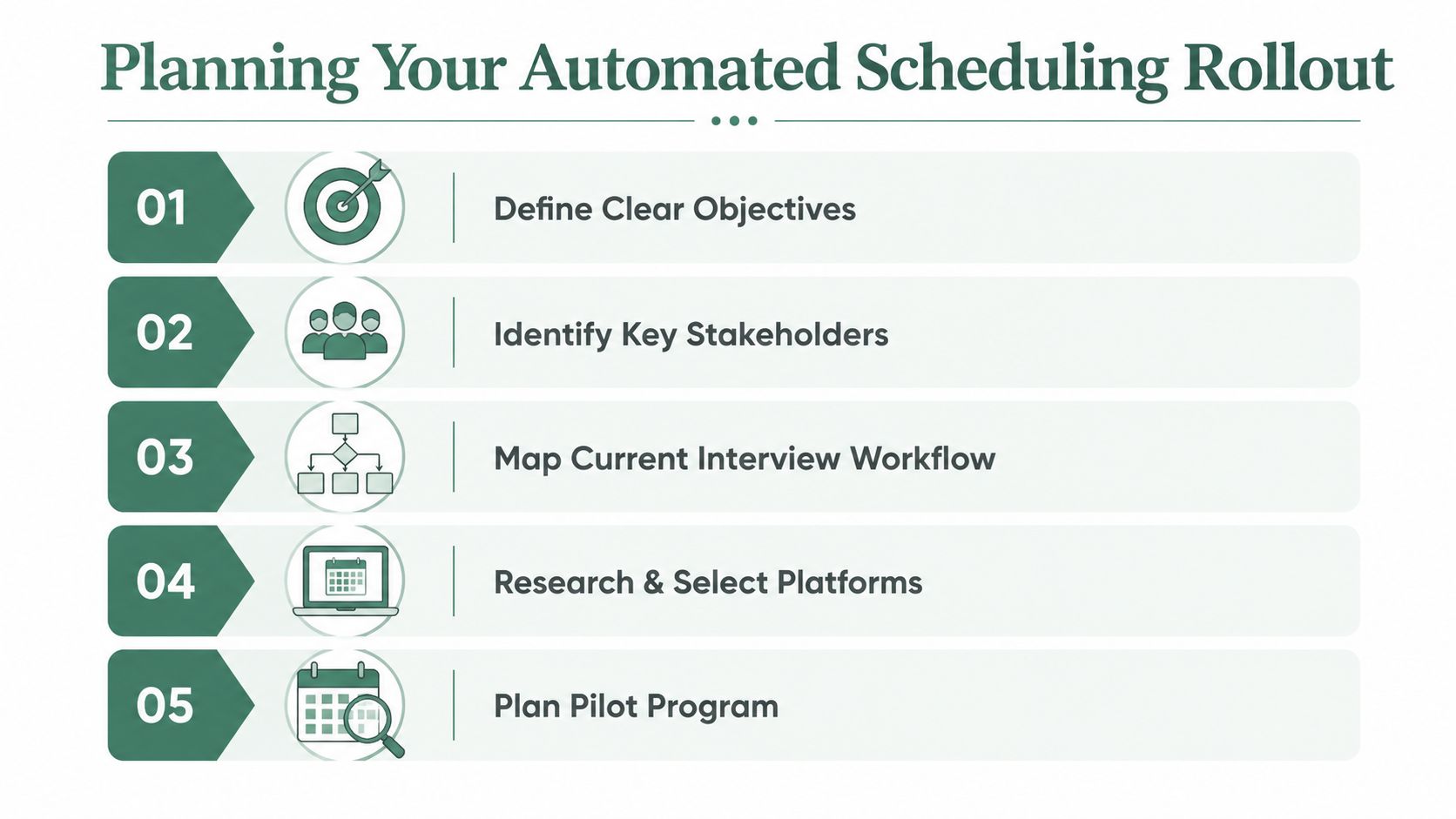
The best rollout starts before you shortlist vendors. If you automate a messy process, you just get messy outcomes faster. The first job is to decide what should be standardized, what still needs human review, and where your current workflow breaks.
By projection for 2026, PIN reports that AI recruiting adoption ranges from 33 percent at companies under 100 employees to 60 percent at enterprises with over 5,000 employees. The same source says CHROs identify coordinating and scheduling interviews as the third highest remaining opportunity for AI impact on talent acquisition at 33 percent. The pattern is clear. Larger teams are investing because scheduling bottlenecks scale badly.
Start with your actual interview types, not the ideal version in your process document.
A high-volume screen has different requirements than a leadership panel. A plant hiring process has different candidate constraints than a remote software role. Write out each loop in plain terms:
If you're hiring at scale, this is also the point where it helps to review adjacent pipeline design. A practical reference is Talent Pronto's guide to high-volume hiring strategies, especially if your issue isn't only scheduling but throughput across the full funnel.
Most scheduling implementations fail socially before they fail technically. The recruiter wants less admin. The hiring manager wants speed. The interviewer wants fewer surprise meetings. IT wants clean permissions and stable integrations.
Treat those as separate concerns.
A simple rollout group usually includes recruiting operations, one or two recruiters, a hiring manager from a busy team, IT or systems support, and an interviewer lead from a function that hires often. If any of those people see the system for the first time after launch, expect resistance.
The easiest way to create opposition is to auto-book time onto interviewers' calendars before they trust the rules.
Here, teams get practical fast. Don't ask whether a platform is “good.” Ask whether it fits your environment.
Use a short checklist:
If you want a useful framework for evaluation criteria and rollout sequencing, MakeAutomation's scheduling playbook is a solid companion resource.
Don't launch across every role at once. Pick one workflow with real volume, predictable stages, and a hiring manager who won't disappear when the first issue shows up.
Good pilot choices usually share three traits:
| Pilot choice | Good sign | Warning sign |
|---|---|---|
| Recruiter screen | Simple stage logic | Too many exceptions |
| Frontline hiring | Repetitive interview pattern | Candidate access barriers ignored |
| Functional team rollout | Strong manager support | Interviewers not onboarded |
A pilot should answer one question: can your team trust the scheduling logic enough to use it daily without manual rescue work?
Configuration is where genuine value emerges. Most platforms can send a booking link. Fewer are set up well enough to support real hiring volume without generating edge-case messes.
A strong setup should make the default path easy and the exceptions manageable.
X0PA's implementation guidance notes an 89 percent increase in candidate satisfaction within 60 days of deployment, tied to candidates choosing their own slots and receiving instant calendar invites. That gain doesn't come from turning automation on. It comes from setting the rules correctly.
Connect the scheduler to the systems that hold the truth: your ATS, your calendars, and any interview delivery tools. If your ATS says a candidate is ready for interview but the scheduler doesn't know the right stage, owner, or interview template, the automation will misfire.
Focus on these checks first:
If your environment includes AI helpers and workflow automation across multiple systems, Donely's integrations overview for connecting AI employees to tools is useful for thinking through handoffs between apps.
Experienced teams manage to save themselves pain later. Don't let each recruiter create interview events from scratch. Standardize them.
Create templates by stage and role family. Each template should define duration, format, required participants, reminders, and any prep instructions. If your coordinators are editing every event manually, you haven't automated enough.
A practical template library often includes:
Good scheduling templates do two jobs at once. They reduce coordinator effort, and they protect interview consistency.
Many rollouts often fail under these circumstances. Teams expose every open slot on a calendar, then wonder why interviewers feel buried.
Availability should reflect real-world work habits. Add buffers. Exclude recurring meetings. Limit how many interviews one person can take in a day. If the platform supports load balancing, use it. If it supports fair rotation across interviewers, turn it on early.
Bad setup creates hidden costs:
A cleaner setup usually includes office-hour windows, blackouts for team rituals, and protected focus blocks for busy managers.
The most effective automation usually starts when a recruiter or workflow moves a candidate into a defined stage. But not every stage should trigger instant booking.
Use automation where qualification is clear. Keep review gates where judgment still matters.
For example:
| Trigger type | Best use | Watch-out |
|---|---|---|
| Auto-send booking link | Early screens with clear criteria | Premature invites to weak-fit candidates |
| Coordinator review before send | Niche or regulated roles | Extra delay if ownership is unclear |
| Auto-reschedule workflow | Candidate-driven changes | Conflicts if panel logic is weak |
Later in the process, a quick explainer can help stakeholders visualize what a strong setup looks like in practice.
One more operational point matters a lot. Standardize panel assignments before volume hits. If your system allows “any available interviewer” but your team hasn't defined who is trained, calibrated, and appropriate for each role, the scheduler will expose that gap fast.
Candidates don't experience “the scheduling system.” They experience messages, choices, timing, and clarity. If those feel cold or confusing, the automation won't feel modern. It will feel indifferent.
The strongest hiring teams design scheduling communication as part of the candidate experience, not as transactional admin. For mobile-first candidates in retail, hospitality, logistics, or field operations, that matters even more because the booking flow often happens between shifts, on a phone, with very little patience for extra clicks.
A good automated flow makes three things obvious right away:
That sounds basic, but a lot of scheduling emails still miss one of those. They contain a link and little else. That creates uncertainty, and uncertainty creates drop-off.
A useful benchmark for candidate-facing language is simple: can someone skim the message in a few seconds and still know what to do?
For teams working on the wider journey, Talent Pronto's candidate experience guide is a helpful reminder that speed only helps if the process also feels respectful.
The invitation should sound clear and organized, not robotic.
We'd like to schedule your next interview. Choose the time that works best for you using the link below. You'll receive a calendar invite right away once you book.
That works because it says what the step is, what the candidate should do, and what they'll get.
A confirmation message should remove uncertainty:
Your interview is confirmed for [day and time]. You'll meet with [interviewer or team name]. We've included the meeting details in the calendar invite.
A reminder should be short and useful:
This is a reminder of your interview tomorrow. If you need to reschedule, please use the same booking link so we can keep your process moving.
And a reschedule note should reduce friction, not assign blame:
Plans change. Use the link below to choose another available time. If the listed options don't work, reply to this message and our team will help.
A healthcare system shouldn't sound like a startup. A public-sector employer shouldn't sound casual in ways that weaken trust. A hospitality brand can be warmer and more conversational. The wording should match the employer, but the structure should stay disciplined.
What works best:
What doesn't:
The best candidate communication doesn't feel clever. It feels dependable.
The first big design choice is simple: do you let candidates book instantly, or does someone on your team review before the invite goes out? Both models work. The wrong choice is applying one model to every role.
The second choice is less obvious and more important over time: how do you keep speed from creating unfairness?
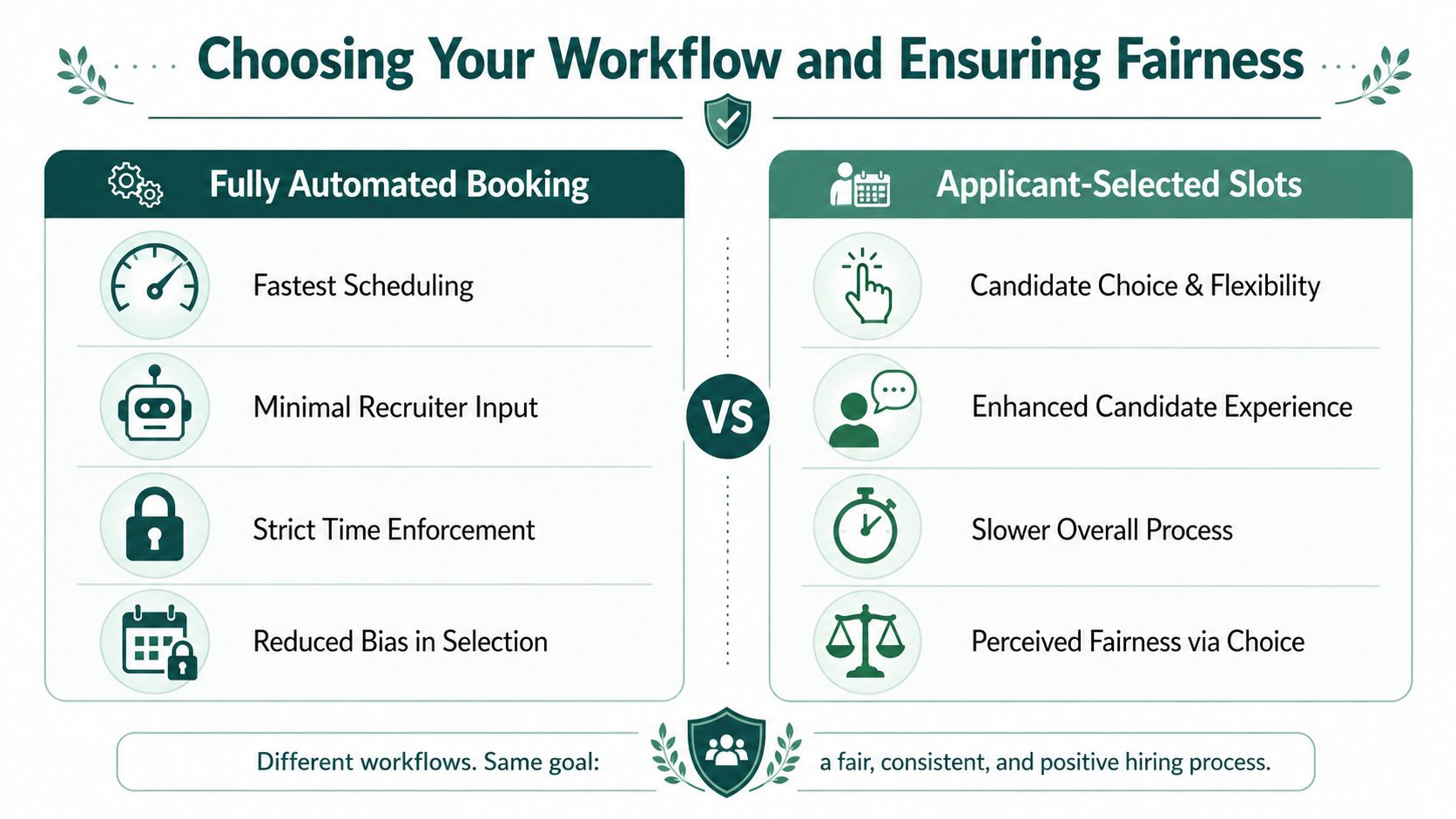
Metaview's analysis of automated interview scheduling tools highlights the trade-off clearly. Self-scheduling can cut the median time-to-interview from 5.9 to 3.9 days, but it can also disadvantage candidates without reliable internet access or flexible work hours, especially in healthcare, manufacturing, and hospitality.
Fully automated booking works well when the criteria for moving forward are already defined and the interview structure is repeatable.
This is usually a strong fit for:
The upside is obvious. Candidates move fast. Recruiters spend less time coordinating. The process feels responsive.
The risk is also obvious. If qualification is loose or interviewer capacity is uneven, the system can flood the calendar with activity your team isn't ready to absorb.
Coordinator-reviewed workflows are slower, but sometimes that's the right trade. They make sense when the interview loop is bespoke, compliance-sensitive, or dependent on stakeholder context.
Examples include:
This model works best when the reviewer has clear service expectations. If “review” just means “wait in a queue,” you've recreated the old bottleneck with nicer software.
| Workflow model | Best for | Main strength | Main risk |
|---|---|---|---|
| Fully automated booking | Repeatable high-volume stages | Speed and lower admin burden | Overbooking and uneven interviewer load |
| Coordinator-reviewed | Complex or sensitive hiring loops | Control and context | Delay if ownership is weak |
Fairness isn't a branding layer. It's a system setting, a process choice, and a candidate access question.
Start with interviewer fairness. If one panelist gets booked constantly because they keep the neatest calendar, your scheduling logic is creating operational bias inside the team. In such cases, rotation rules and load balancing matter. If you're working through interviewer distribution models, Formzz's guide to implementing fair interview assignments with round-robin scheduling is worth reviewing.
Then deal with candidate access. Not everyone can click a link and pick from daytime slots. Some candidates share devices. Some work shifts. Some need help by phone. Some need accommodation.
For broader process design, Talent Pronto's fair hiring practices resource is a useful reference point.
Use a minimum fairness checklist:
Fast scheduling is only an advantage if qualified candidates can access it on fair terms.
A rollout isn't successful because the software is live. It's successful when coordinators trust it, candidates move through it cleanly, and hiring teams stop treating scheduling as a recurring fire drill.
LinkedIn's benchmark summary on automated interview scheduling says AI-powered scheduling assistants save recruiters 15 hours per week, and coordinators using these tools can book about 153 interviews per week, roughly 4x typical output. Those numbers are useful because they point to what to measure: time returned to the team, and throughput without chaos.
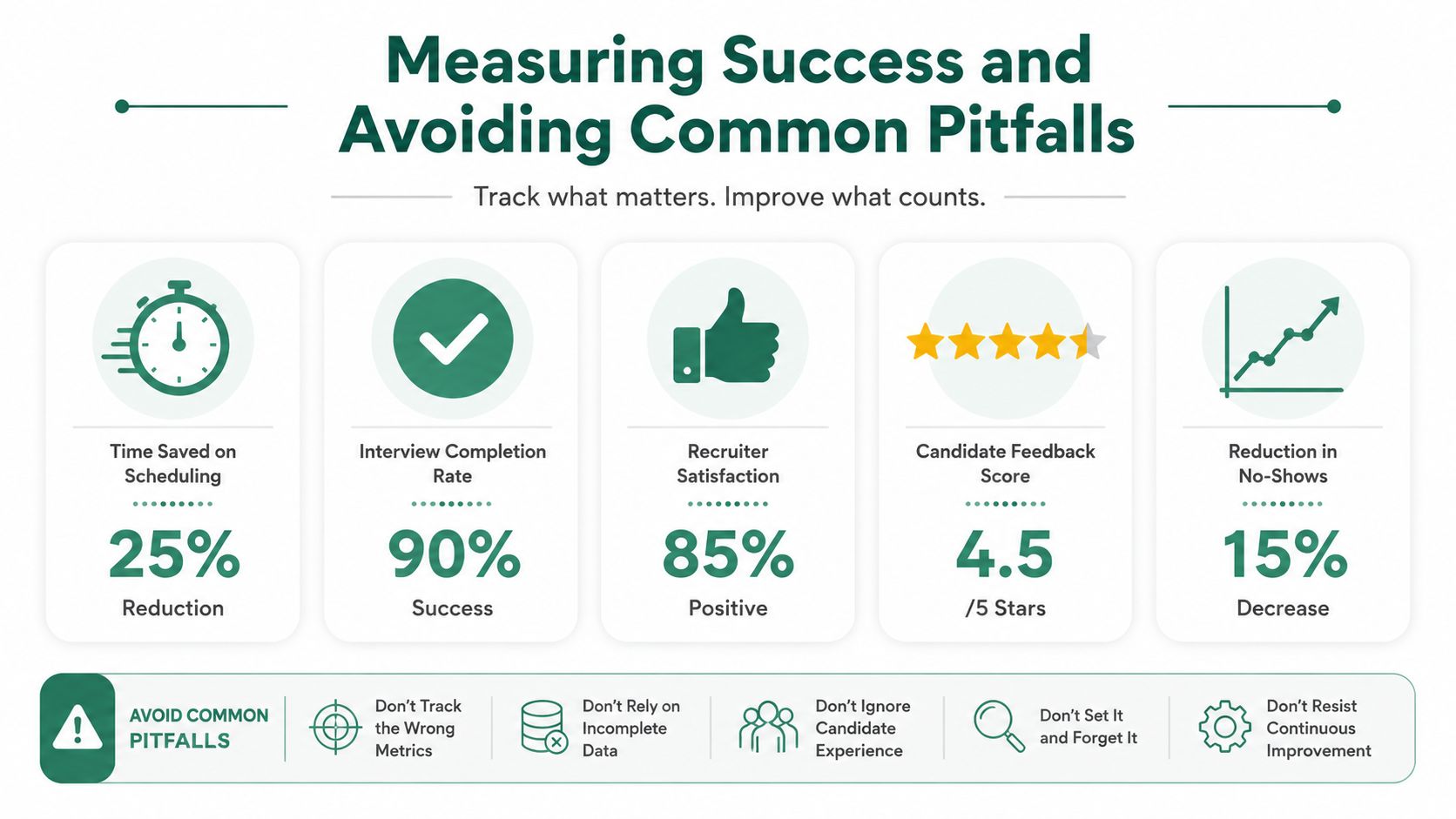
Don't overcomplicate the dashboard. Start with:
Most problems come from weak setup discipline, not bad software.
Bad calendar hygiene breaks more scheduling rollouts than missing features.
Watch for these issues:
The teams that get lasting value keep tuning the workflow after launch. They review exceptions, clean up templates, and treat scheduling as part of recruiting operations, not a side task.
If your team wants to move beyond manual coordination and create a faster, more structured hiring process, Talent Pronto helps employers screen candidates conversationally, advance qualified applicants, and support interview scheduling within a broader hiring workflow. It's a practical fit for teams that need speed without losing structure, especially in high-volume and hard-to-fill roles.

Talent Pronto is an AI-powered hiring platform built around Anna, our intelligent AI that conducts 24/7 conversational screening, evaluates candidates against specific job requirements and compliance needs, and schedules interviews. Run everything on the Talent Pronto ATS, our all-in-one applicant tracking system with a branded careers site and Anna built in, or keep your existing ATS and let Anna integrate with Greenhouse, Ashby, iCIMS, Jobvite, Lever, Oracle, and more. Either way, we help organizations reduce time-to-hire and build stronger teams.