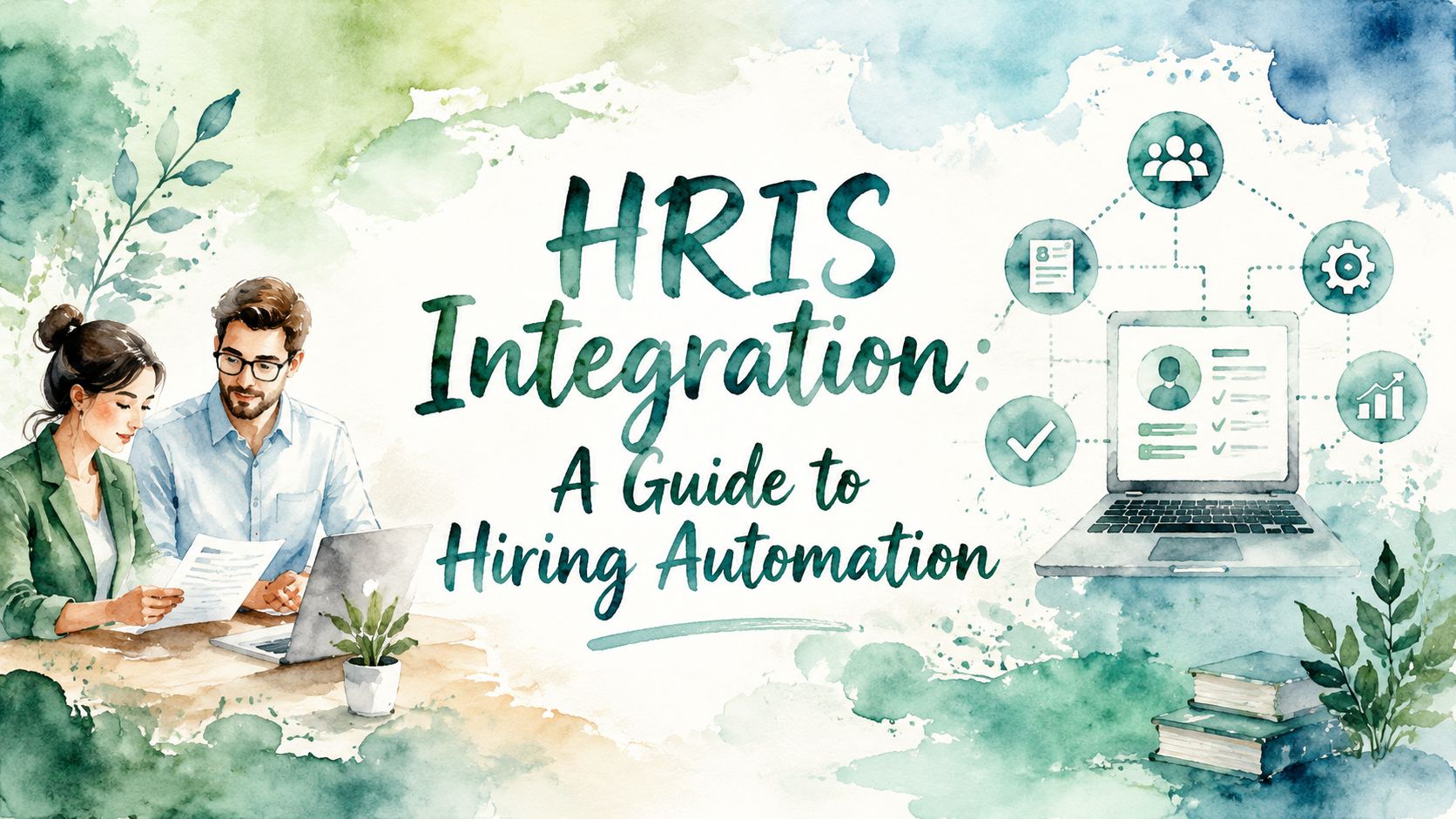
Master HRIS integration to unlock hiring automation. This guide covers architectures, data flows, implementation steps, and ROI for modern talent teams.
Your team is probably feeling this already. A recruiter moves a candidate in the ATS, then retypes the same details into the HRIS, then sends a note to payroll or onboarding because one field didn't carry over. The hiring process slows down, records drift out of sync, and every automation tool you bought looks less impressive than it did in the demo.
That's why HRIS integration matters so much for talent acquisition. It isn't just an IT project sitting in the background. It's the operating layer that determines whether screening automation, interview coordination, offer workflows, and onboarding work as one process or as a string of manual handoffs. If you're evaluating AI screeners, conversational hiring tools, or workflow automation, integration is the difference between a faster funnel and a new source of admin work.
A recruiter approves a candidate in your screening tool. The ATS still shows the old status. The HRIS does not get the hire record until days later, so onboarding starts late, reporting breaks, and your team spends Friday afternoon fixing data by hand. That is the point where hiring automation stops looking like automation.
Strong HRIS integration changes that outcome. It gives your hiring tools a shared flow of candidate, requisition, and hire data, so an AI screener, ATS, background check platform, and HRIS can support one process instead of four disconnected ones. For a Head of Talent Acquisition, that matters because the return on automation depends on throughput. If data stalls between systems, the value of screening speed, recruiter capacity gains, and faster time-to-fill gets lost in rework.
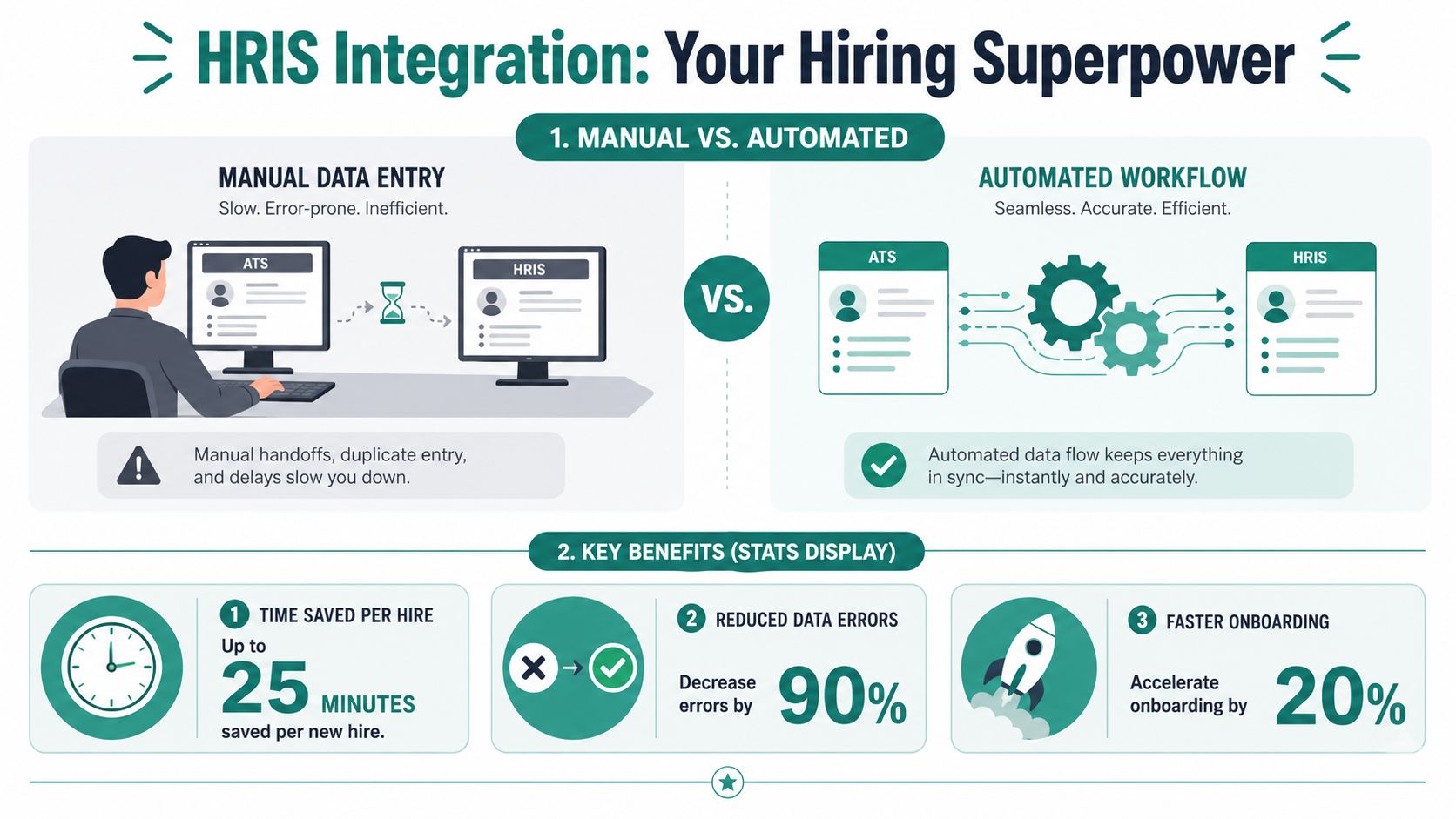
HR leaders are buying more specialized tools, not fewer, which raises the cost of poor connectivity. PeopleSpheres notes that the HR tech market is projected to grow from $47.4 billion to $90 billion by 2025, and that high-composability enterprises expect stronger revenue growth than low-composability peers, a useful signal that connected systems support better operating performance across the business, not just cleaner admin work, according to PeopleSpheres' HR tech market analysis.
That is why integration should sit inside your hiring technology strategy, not at the end of procurement. If you are evaluating AI screening or other automation tools, start with how they fit into your existing HR tech stack strategy for talent teams. A tool can score candidates well and still fail commercially if recruiters must copy results into the ATS, coordinators must push hires into the HRIS manually, and ops has to reconcile records every week.
Practical rule: Buy hiring automation based on workflow fit, data movement, and downstream triggers, not feature demos alone.
Well-designed HRIS integration improves hiring in three ways:
There are trade-offs. Real-time integrations cost more to design and test than scheduled batch files. Tighter integrations also force cleaner field definitions, ownership rules, and exception handling. But that discipline is usually where the gain comes from. Teams that connect systems properly do not just move data faster. They make hiring automation usable at scale.
Most talent leaders don't need to write integration code. They do need to know the basic patterns, because vendors will talk about APIs, middleware, and webhooks as if the differences are obvious. They aren't, especially when you're trying to judge what will keep candidate statuses accurate and what will create support tickets every week.
A simple way to think about it is mail delivery. Some messages arrive instantly. Some arrive in batches on a schedule. Some go through a central hub. Some only ring a bell when something changes.
| Architecture | Speed | Complexity | Best For |
|---|---|---|---|
| Direct API integration | Fast | Medium to high | Real-time candidate and status sync |
| SFTP file transfer | Scheduled | Low to medium | Legacy systems and bulk data exchange |
| Middleware or iPaaS | Varies | Medium | Multi-system ecosystems with shared logic |
| Webhooks | Event-driven | Medium | Immediate notifications when records change |
Direct API integration is the closest thing to a live conversation between systems. Your ATS, screening platform, or HRIS can send and request data through defined endpoints. In hiring automation, this is usually the best fit when you want candidate records, scorecards, or application statuses to update quickly.
SFTP or file-based transfer is more like scheduled delivery. One system drops a file, another picks it up later. It's not elegant, but it still matters in environments with older payroll or HR platforms. If you're moving large batches of hires or historical employee data, it can be practical. It's just not what you want for a same-day screening workflow.
Use SFTP when the business can tolerate delay. Use APIs when recruiting operations depend on current status.
Middleware or iPaaS acts like a central post office. Instead of building every connection point to point, you route data through a hub that handles transformations, orchestration, and monitoring. This is useful when HR, payroll, identity, scheduling, and analytics all need the same employee or candidate updates. It adds another layer, but it can simplify a messy stack.
Webhooks are the notification bell. One system says, “A candidate status changed,” and another system reacts. They're powerful for event-driven hiring workflows, especially when interview progression or screening completion should trigger the next action immediately.
For a practical example of how hiring platforms connect candidate profiles, scorecards, and statuses with systems such as Workday, ADP, Paylocity, and iCIMS, review this overview of HR tech stack integration patterns.
The best architecture depends on the hiring motion you're supporting.
A common mistake is trying to force one architecture to do everything. In practice, mature environments often combine them. Candidate screening statuses may move through APIs and webhooks, while nightly employee master updates still run through scheduled files. That's not a flaw. It's often the most stable design.
Technology choices matter, but data design usually determines whether the integration survives real use. Hiring teams often focus on “Does it connect to Workday or Greenhouse?” The better question is “What exact records move, when do they move, and which system owns them?”
That's where many projects either become operationally useful or subtly chaotic.
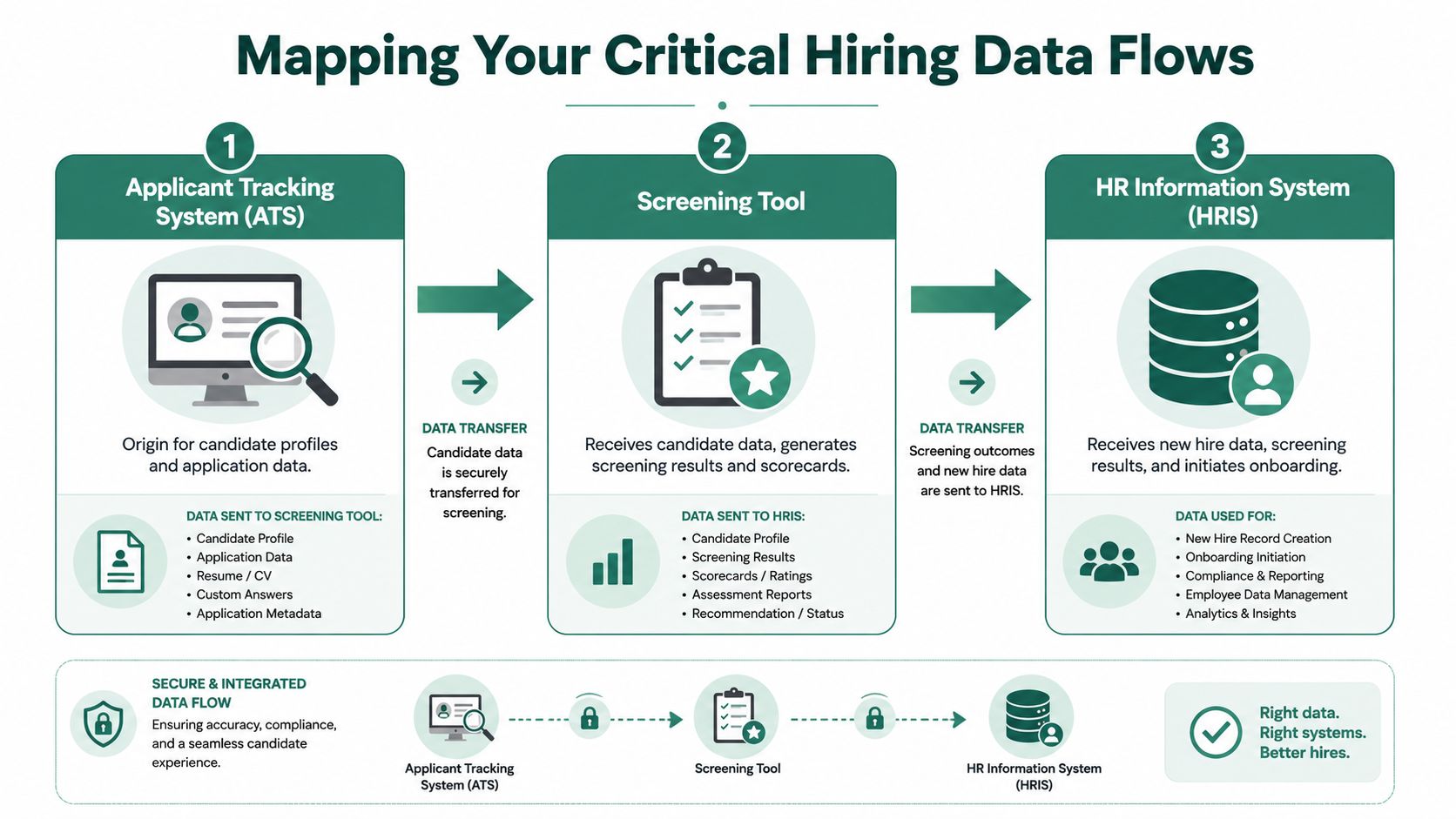
In most hiring environments, the data flow looks something like this:
This is also where role-specific workflows can break. If department names differ across systems, if requisition IDs aren't passed consistently, or if offer acceptance doesn't trigger the right create-hire event, the process stalls.
For teams using Greenhouse as a core workflow system, it helps to see how candidate status and screening data can be synchronized through a Greenhouse integration workflow.
The most important design decision is often invisible to end users. You need a canonical employee ID in a unified data layer, with vendor-specific identifiers mapped back to that internal key. According to HR Analytics Trends on integration strategies that survive vendor updates, this mapping is what keeps records consistent when employee IDs differ across payroll, ATS, and benefits systems.
Without that internal key, duplicate and conflicting records become normal. A candidate might have one identifier in the ATS, another in the onboarding platform, and a third in payroll. Reporting breaks first. Then access, provisioning, and compliance workflows start to drift.
The system of record is not enough by itself. You also need a record identity strategy.
A practical field-mapping checklist should include:
This walkthrough is worth watching if you want a visual sense of how hiring workflows connect across systems.
Most HR leaders hear “integration project” and assume a long implementation with unclear ownership. For hiring automation, it doesn't have to look like that. The work gets manageable when you break it into phases and make a few decisions early.
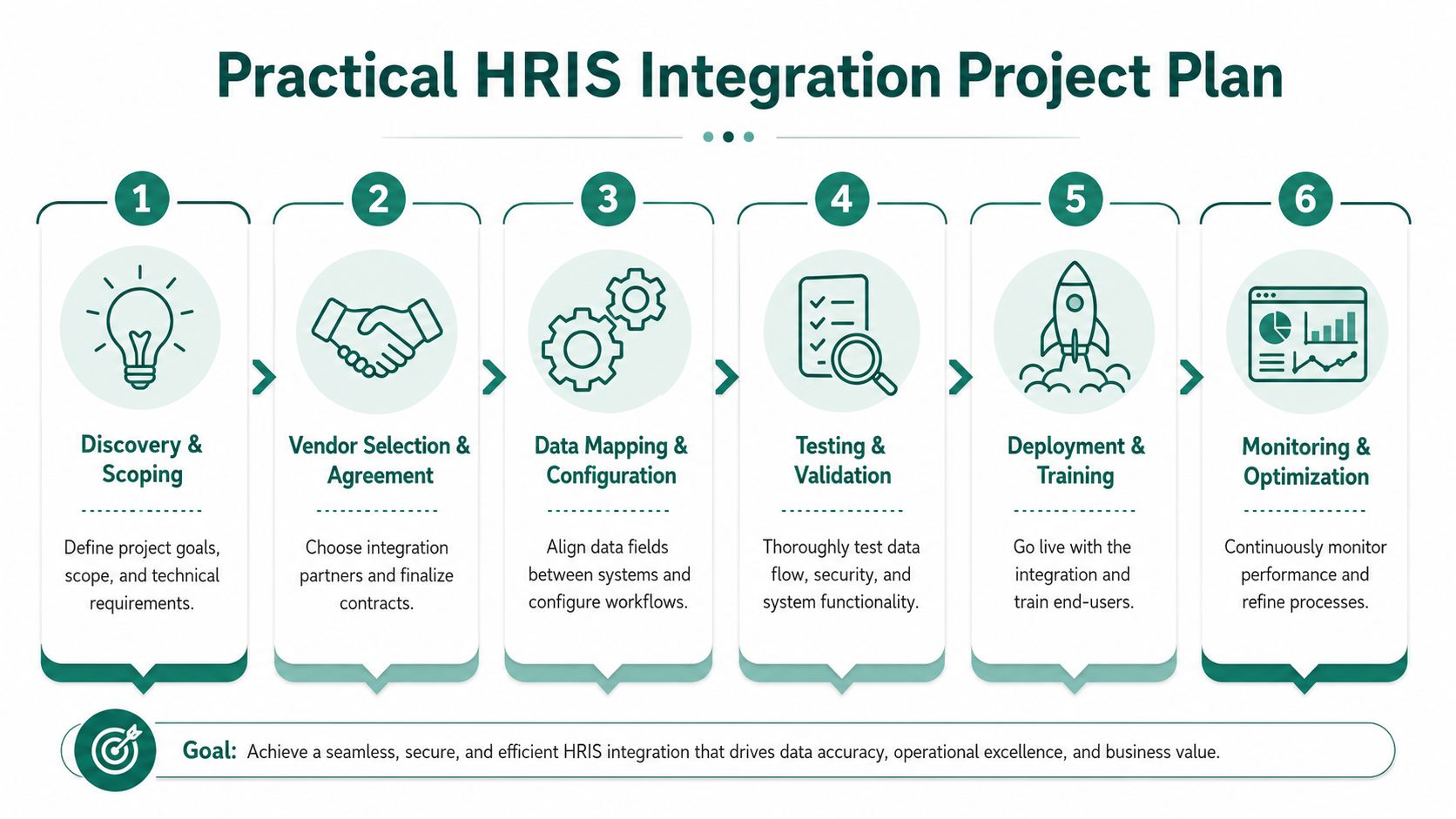
Discovery and scoping comes first. Define the business outcome in plain language. Maybe you want screening results written back into the ATS, or you want a hired candidate to create a downstream HRIS-ready record without manual entry. Identify system owners early. TA, HRIS, IT, security, and the vendor all need a named decision-maker.
Vendor selection and technical design comes next. During this stage, you confirm the architecture, the supported systems, the sync direction, and the ownership of each field. If a vendor can demo a workflow but can't explain how status conflicts are handled, that's a warning.
Configuration and development is where organizations often underestimate the effort. Field mapping sounds simple until you hit edge cases like duplicate candidates, merged requisitions, or region-specific onboarding data. Keep a field-level mapping sheet and make one team responsible for sign-off.
For AI-driven conversational screening tools with HRIS integration, the typical implementation timeline is 1 to 3 weeks, during which the system configures data schemas, maps candidate fields, and establishes API endpoints for status synchronization, according to Atquo's Talent Pronto implementation overview. That's a useful benchmark because it shows these projects can move quickly when scope is tight and ownership is clear.
A practical rollout sequence usually looks like this:
If scheduling automation is part of your process, it helps to align that workstream with the integration design rather than bolt it on later. This overview of automated interview scheduling is useful for spotting where interview handoffs often need system support.
Field note: A short timeline only works when scope stays disciplined. If you keep adding new systems, custom logic, and reporting requirements during build, even a simple project bogs down.
Testing deserves more respect than it usually gets. Don't only validate clean candidate journeys. Test manager changes, withdrawal and reactivation, requisition edits, multi-location roles, and offer reversals. Those are the moments that expose whether the integration is operational or just technically connected.
Most failed integrations don't fail because APIs are impossible. They fail because teams automate confusion. The business uses one term, finance uses another, the ATS stores a third version, and nobody resolves the mismatch before build starts.
A major issue is pre-integration taxonomy alignment. Inconsistent organizational terminology, such as HR and Finance defining “cost center” differently, causes 42% of integration projects to fail before a single line of code is written, according to SelectHub's review of HRIS integration challenges. Cleaning bad data later won't solve that. You need a shared language first.
That means creating two basic artifacts before development begins:
If your hiring stack includes AI screening, this matters even more. A screening rubric that depends on department, role family, shift type, or location can only rank candidates correctly if those inputs are standardized upstream.
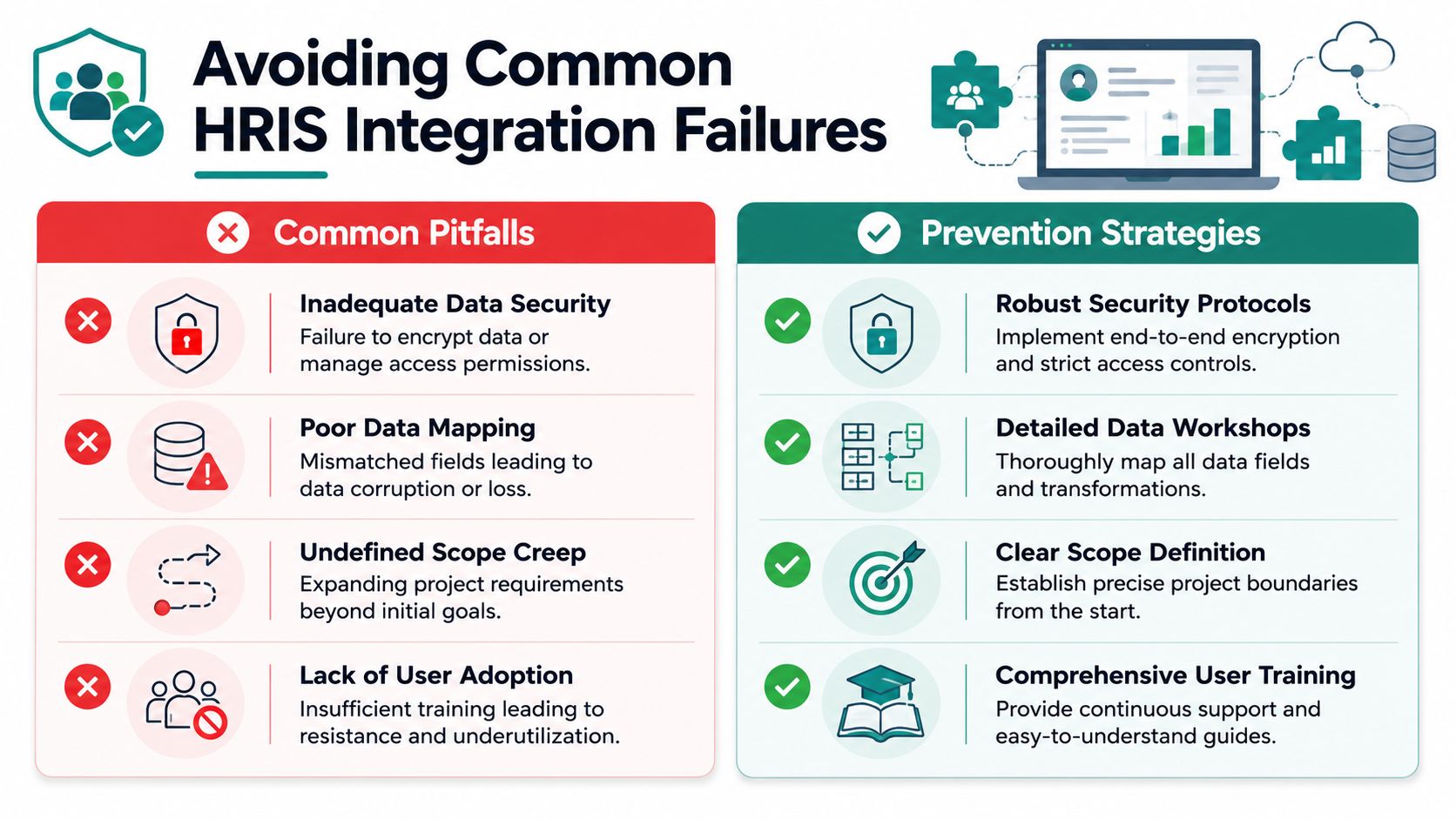
The next failure pattern is weak operational design. Teams test successful syncs and ignore failure scenarios. Then payroll cutoff dates, terminations, leave events, or manager changes expose gaps in the logic. A stable integration needs decision rules for conflicts, retries, and exceptions.
Security also can't be treated as a procurement checkbox. For HR data, insist on these basics:
A clean demo proves connectivity. It doesn't prove operational reliability.
There's also a positive side to doing this right. HRIS integration supports fair hiring and compliance by keeping uniform screening criteria, documented scorecards, and standardized behavioral questions stored in the HR system as an auditable trail, as described in Talent Pronto's explanation of how AI screening reduces bias in hiring. For talent leaders, that means the same integration work that reduces admin effort also strengthens consistency and defensibility.
A TA leader approves an AI screener, the pilot goes well, and recruiter workload barely changes. The issue usually is not the screening tool. It is the gap between systems. If screening outcomes, candidate status changes, and hiring records do not write back into the HR stack cleanly, automation adds another inbox instead of removing work.
That is why impact should be measured at the operating model level. HRIS integration is what turns hiring automation into labor savings, faster decisions, and cleaner handoffs. Without it, teams still pay for manual updates, spreadsheet checks, and status chasing across the funnel.
A useful ROI case starts with one question. Which manual hiring steps disappear once the HRIS, ATS, and screening tools share structured data reliably?
Analysts at Nucleus Research have reported that HR technology projects can improve productivity and efficiency when systems are implemented well, but TA leaders should translate that broad outcome into hiring-specific measures instead of relying on generic platform claims. In practice, the gains show up in fewer recruiter touches per candidate, less coordinator rework, and fewer delays between screening and interview scheduling.

For hiring teams, the strongest metrics are usually operational:
One caution matters here. Integration does not create value just because records sync. Value appears when the data written between systems is good enough to trigger the next hiring action automatically and accurately. A weak integration can move bad data faster.
The strongest business case ties hiring friction to labor cost and throughput. If recruiters spend hours each week correcting statuses, copying notes from an AI screening platform into the ATS, or coordinating handoffs that software should handle, that is not an IT inconvenience. It is recurring operating cost.
A practical way to quantify that cost is to estimate the loaded cost of administrative hiring work with a benchmark such as this SDR fully loaded labor rate. That gives finance and operations leaders a clearer frame for the decision. They can compare one-time integration effort and ongoing maintenance against the labor consumed by fragmented workflows every month.
This framing matters most in environments built on tools like Workday, ADP, Paylocity, or iCIMS, where each disconnected step slows the funnel and weakens reporting. Once leaders see that integration is what allows hiring automation to produce measurable savings, the project stops looking like system plumbing and starts looking like TA infrastructure with a return.
The mechanics of HRIS integration are similar across companies. The use cases are not. The value shows up differently depending on the kind of hiring pressure each industry faces.
Healthcare hiring breaks when credential detail gets separated from hiring speed. A nurse or allied health candidate may complete an AI screening conversation that captures role fit, shift preferences, license details, and availability. If that information stays trapped inside the screening tool, recruiters still have to re-enter key details before moving the person forward.
The better pattern is a direct flow into the hiring stack so candidate status, screening outcomes, and required employment details stay aligned. That helps TA teams move qualified clinicians faster while preserving the record they need for compliance and onboarding review.
Manufacturing teams usually care less about elegant workflows and more about throughput. They need to identify candidates who can work a certain shift, operate specific equipment, or meet location constraints, then move those people into interviews quickly.
An integrated workflow lets an AI screener capture trade skills, shift availability, attendance expectations, and site preference, then write back structured outcomes that recruiters can act on immediately. If interview scheduling or downstream onboarding is disconnected, the line slows down again. When those systems are connected, hiring teams can move from application to interview with fewer manual checkpoints.
In high-volume environments, the biggest win often isn't better sourcing. It's removing the delay between qualification and action.
Hospitality teams deal with volume spikes, seasonal hiring, and high candidate drop-off when response times are slow. A candidate applies for a front-desk, kitchen, or hourly operations role and expects to hear back fast. If the business takes too long to screen, update status, or start onboarding, the candidate is gone.
Integrated hiring automation helps by keeping application, screening, and hire status synchronized across the stack. Recruiters and managers don't need to chase the same record in multiple systems, and candidates don't have to repeat the same information at each stage. In practice, that's what makes seasonal scaling possible without burying the team in admin.
If you're evaluating how to connect AI screening, status sync, and onboarding workflows without adding another layer of manual work, Talent Pronto is worth a look. It's built to support conversational screening, structured scorecards, and integration with common ATS and HRIS environments so hiring teams can automate early-stage recruiting without losing control of the process.

Talent Pronto is an AI-powered hiring platform built around Anna, our intelligent AI that conducts 24/7 conversational screening, evaluates candidates against specific job requirements and compliance needs, and schedules interviews. Run everything on the Talent Pronto ATS, our all-in-one applicant tracking system with a branded careers site and Anna built in, or keep your existing ATS and let Anna integrate with Greenhouse, Ashby, iCIMS, Jobvite, Lever, Oracle, and more. Either way, we help organizations reduce time-to-hire and build stronger teams.